Phone and focus
Should you turn off notifications? What the experiments found
Should you turn off notifications? Switching every alert off didn't cut checking in a trial. Keep people on, batch the rest three times a day. Seven steps.
1h Protocols · October 6, 2026 · 13 min read
Should you turn off notifications? Not all of them. In a preregistered trial, young adults who switched off every notification for a week checked their phones as often as before and worried more about missing something (Dekker et al., 2024). The better-supported move is to sort them: keep calls and the people who need you, switch off the apps that only pull you back, and get the rest in three batches a day.
Kostadin Kushlev has tested this in the field, in people's ordinary days. With Elizabeth Dunn at the University of British Columbia, he had 124 adults spend one week checking email three times a day and another checking at will (Kushlev & Dunn, 2015). Then 221 students spent one week with alerts off and the phone out of sight, and another with alerts on and the phone close by (Kushlev et al., 2016). Both times, the quieter week came out a little ahead.
In 2019, by then at Georgetown University and working with Duke University researchers including Dan Ariely, he tried four delivery schedules on 237 adults in India for two weeks: as usual, hourly, three times a day, or never (Fitz et al., 2019). The group that got no notifications felt no more attentive and grew more anxious. The three-a-day group did best, and hourly batches did almost nothing. The seven steps below follow those experiments.
Sort your notifications before you switch anything off
The clearest test of the popular advice came from the University of Amsterdam in 2024. Cynthia Dekker's team logged the phones of 205 Android users aged 18 to 30 for a normal week, then randomly picked about two in three to disable every notification for a week (Dekker et al., 2024). Notifications fell from about 154 a day to about 8. Checking barely moved, from about 86 times a day to 84, much like the group that changed nothing, and screen time didn't change either. Fear of missing out on notifications, though, rose sharply, then eased as the week went on. People did feel their checking was less of a habit. The authors concluded that "simply turning them off does not seem to make the smartphone much less ubiquitous."
A one-day test at Telefónica Research in Barcelona found the same split. Thirty volunteers spent one workday with every alert off and compared it with a normal day (Pielot & Rello, 2017). They felt less distracted and more productive, but also less responsive, less connected to friends and more worried about missing something, and 12 of the 30 said they checked more often than usual. One called the day liberating; another "even left the screen on" so as not to miss a friend's message.
Most checking doesn't start with a buzz anyway. In a separate study that filmed 37 young adults in the UK, France and Germany through their days, nearly nine in ten pick-ups began with the person, not a notification (Heitmayer & Lahlou, 2021). Gloria Mark, Chancellor's Professor Emerita at the University of California, Irvine, names what drives them: "It's our habits. It's our urges to look up information. There is social pressure for us to check our email or social media and respond to it" (All in the Mind, 2025).
That doesn't make notifications harmless. In lab experiments, an alert disrupted an attention task even when people left the phone alone (Stothart et al., 2015), and pop-ups that students believed came from their own phone slowed their responses for a few seconds (Fournier et al., 2026). That's the case for cutting the alerts you don't need.
1. Count what's coming in
People get more notifications than they think. In the 2019 trial, participants wanted about half the number they believed they got, and they "dramatically underestimate how many notifications they actually receive" (Fitz et al., 2019). Your phone keeps the count. On an iPhone, go to Settings > Screen Time > Daily Average and scroll down to Notifications (Apple). On Android, open Settings > Digital Wellbeing and tap the chart to see Notifications received, app by app (Google). Names can differ by version and phone maker. Start with the apps at the top.
2. Switch off the apps that only pull you back
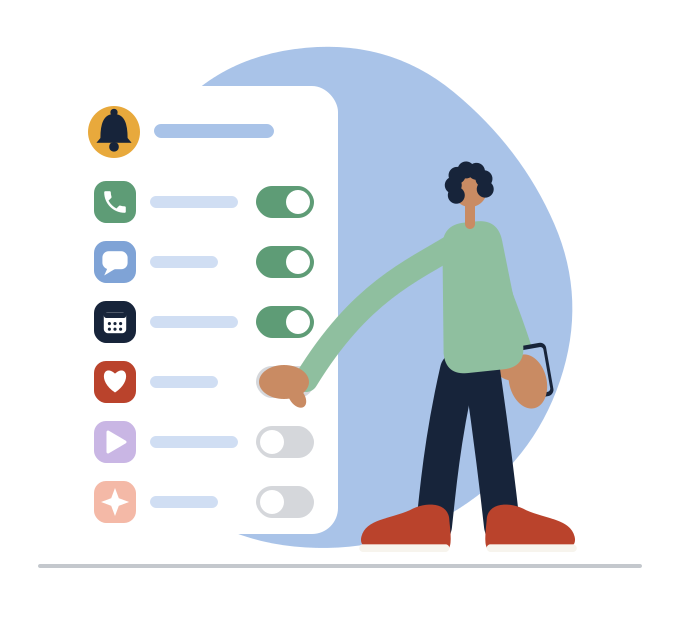
For each app on that list, Nir Eyal, author of Indistractable, suggests one question: "Is this trigger serving me, or am I serving it?" (Eyal, 2022). A sale, a streak or a news alert you never asked for usually fails it. Switch those off, badges too: Catherine Price, the science journalist who wrote How to Break Up with Your Phone, points out that the little red numbers on app icons are notifications as well (10% Happier, 2018, 34:46). On an iPhone, go to Settings > Notifications, tap the app, and turn off Allow Notifications, or just Badges (Apple).
3. Keep the people and the essentials
Price keeps a short list on: phone calls, text messages, navigation, "and then maybe the calendar," because those are practical tools or "contact with a real person in real time who actually wants to speak to me" (10% Happier, 2018, 34:46). Jonathan Haidt, the social psychologist at NYU Stern, gives the same advice ("turn off almost all notifications") and also keeps the ones you're actually waiting for, such as the car you've just booked (Mel Robbins Podcast, 2026, 50:33). Leave government and emergency alerts on; on an iPhone they're listed under Settings > Notifications (Apple). Work chat and email usually belong in the next pile, unless your job needs instant replies; a manager who truly needs you right away can call.
Batch the rest into three deliveries a day
What's left (group chats, work apps, shopping, the news you do want) can wait for a few set times. In the 2019 batching trial, the group whose notifications arrived at 9 a.m., 3 p.m. and 9 p.m. unlocked their phones less often, felt more in control of them, rated themselves more attentive and less stressed, and felt more productive than the group who got notifications as usual (Fitz et al., 2019). Hourly batches didn't help. The participants were mostly employed men, many in IT, all on Android, for two weeks, and three of the authors worked for the company that built the batching app, so treat it as one promising trial. Kushlev's email study, below, points the same way. The authors put the idea in one line:
"It is not the notifications per se that pose a problem, but rather how and when they are delivered." Nicholas Fitz, Kostadin Kushlev and colleagues, Computers in Human Behavior, 2019
4. Pick three times, and let the phone hold the rest
Choose three times that fit your day, such as late morning, after lunch and early evening. On an iPhone, Scheduled Summary does the batching: go to Settings > Notifications > Scheduled Summary, set the times, then choose the apps (Apple). Android menus vary by phone maker, so the simplest equivalent is to switch off alerts for those apps and open them at your times; Focus mode (Settings > Digital Wellbeing > Focus mode) can pause chosen apps and their notifications on a schedule (Google). Three is the trial's number; add a fourth if your day needs it.
5. Give email and work chat the same schedule
Kushlev and Dunn's email experiment tested exactly this. In the week people checked three times a day, with the inbox closed and alerts off in between, they checked about five times a day instead of about twelve and rated their days a little less stressful (Kushlev & Dunn, 2015). The authors add that checking less "is by no means a panacea," and may not suit jobs that run on constant updates. For a block of work that matters, add distance too: in the 2016 student trial, people felt less scattered in the week with alerts off and the phone out of sight (Kushlev et al., 2016). On an iPhone, a Focus for work can let chosen people through and silence the rest (Settings > Focus) (Apple). Our guide to phones and focus at work covers the team side.
Plan for the worry in the first quiet days
Worry shows up in every study that took alerts away or held them back. In Amsterdam, fear of missing out rose when alerts went off and eased across the week (Dekker et al., 2024). Even the three-a-day group in 2019 felt they were missing more notifications; it just didn't outweigh the gains. In Barcelona, the volunteers who stayed calm had one thing in common: the people who messaged them "already knew that they usually would not respond timely" (Pielot & Rello, 2017). Kushlev and his co-authors saw this coming in 2016, cautioning that "keeping notifications at bay may not work equally well for everybody trying to reduce phone interruptions" (Kushlev et al., 2016).
6. Tell the people who need you when you check
The Barcelona researchers suspect this is how to go quiet without the worry: managing what your frequent contacts expect about reply times "may be key" (Pielot & Rello, 2017). In a Canadian trial where students chose from ten phone changes, one option was exactly that: tell family, friends or colleagues you'll reply less often unless they call (Olson et al., 2022). Something like: "I'm checking messages at about 11, 2 and 6 now. If it's urgent, call me." On an iPhone, Share Focus Status lets people who text you see that your notifications are silenced (Apple). A silenced phone at a meal with friends works the same way; our article on phubbing covers phones at the table.
7. Watch for the reach that has no buzz
Once the alerts are sorted, what's left are the pick-ups you start yourself. One participant in the filmed study described it after switching off many of their alerts: "I find myself checking more regularly to see whether something's come up" (Heitmayer & Lahlou, 2021). Mark calls the jump to a chime "automatic attention," built up by doing it so often (Armchair Expert, 2022, 23:05). That reach needs different fixes, such as where the phone lives and what sits on its first page; our guides to reducing screen time and how to focus cover them. Our article on phone addiction explains why researchers describe heavy checking as a habit, not a diagnosis.
Keep the notifications, change when they arrive
Both trials that took every alert away tell the same story. Kushlev's no-notification group felt no more attentive and grew more anxious, and in Amsterdam, checking didn't move. The groups that did better kept their notifications and changed when they arrived. The point of sorting them is the one Haidt makes about attention: "if you commit to not missing things, that means you're never fully present and you actually miss everything" (Mel Robbins Podcast, 2026, 50:33).
Your notification sort is the short version. To do it on your own phone, with a plan for the reach that has no buzz, try the 1h Protocol to Take Control of Your Phone. It's an education program: a free first chapter finds what keeps pulling you back, then five more chapters build a personal protocol from your answers and your phone's own numbers, with the settings set up live, a lock-screen card and reviews on day 7 and day 14. Four short check-ins follow over 30 days. Start free
Frequently asked questions
Should I turn off all my notifications?
Probably not. In a preregistered trial, young adults who switched every notification off for a week checked their phones just as often and grew more worried about missing something. Keep calls and the people who need you, switch off the apps that only pull you back, and batch the rest.
Does turning off notifications reduce screen time?
Not on its own, in the best test so far: a week with every notification off left checking and screen time unchanged in 205 Android users aged 18 to 30. Most pick-ups start with the person rather than a buzz, so the reach needs its own changes.
What is notification batching?
Batching means your phone holds notifications and delivers them together at set times. In a two-week trial with 237 adults in India, three batches a day went with fewer unlocks and feeling more in control; hourly batches didn't help. On an iPhone, Scheduled Summary does it.
Why do I worry about missing messages when notifications are off?
Notifications are how you've kept up with what people expect of you, so going quiet feels risky. In trials, that worry rose when alerts went off and eased over the first week, and in one study the calm ones were people whose contacts already knew they replied slowly. If the worry still feels out of control after a couple of weeks, talk to someone you trust.
Which notifications should I keep on?
Keep the ones from people who need you in real time and the ones tied to a clock: calls, messages from family or anyone who needs you right away, calendar, navigation, a ride you're waiting for, and government or emergency alerts. Work chat and email can usually be batched. For every other app, ask whether it serves you.
How do I turn off notifications on iPhone or Android?
On an iPhone, go to Settings > Notifications, tap an app and turn off Allow Notifications, or choose Scheduled Summary under Notification Delivery. On Android, menus vary by phone maker; Settings > Digital Wellbeing shows which apps send the most, and its Focus mode can pause chosen apps on a schedule.
Sources
This article draws on Kostadin Kushlev's field experiments with Elizabeth Dunn, Dan Ariely's lab and colleagues, a 2024 preregistered trial from the University of Amsterdam, a one-day study from Telefónica Research, interviews with Gloria Mark, Catherine Price and Jonathan Haidt, an essay by Nir Eyal, and Apple's and Google's setup guides.
- Dekker, Baumgartner, Sumter & Ohme, Beyond the Buzz: investigating the effects of a notification-disabling intervention on smartphone behavior and digital well-being (preregistered randomized trial, 205 Android users aged 18 to 30, Media Psychology, 2024)
- Fitz, Kushlev, Jagannathan, Lewis, Paliwal & Ariely, Batching smartphone notifications can improve well-being (randomized two-week field experiment, 237 adults in India, Computers in Human Behavior, 2019)
- Kushlev, Proulx & Dunn, "Silence your phones": smartphone notifications increase inattention and hyperactivity symptoms (two-week within-person field experiment, 221 university students, CHI 2016)
- Kushlev & Dunn, Checking email less frequently reduces stress (two-week within-person field experiment, 124 adults, Computers in Human Behavior, 2015)
- Pielot & Rello, Productive, anxious, lonely: 24 hours without push notifications (within-person study, 30 volunteers, MobileHCI 2017)
- Heitmayer & Lahlou, Why are smartphones disruptive? An empirical study of smartphone use in real-life contexts (filmed field study, 37 adults aged 21 to 29, Computers in Human Behavior, 2021)
- Stothart, Mitchum & Yehnert, The attentional cost of receiving a cell phone notification (laboratory experiment, Journal of Experimental Psychology: Human Perception and Performance, 2015)
- Fournier et al., Attention hijacked: how social media notifications disrupt cognitive processing (laboratory experiment, 180 students in Lyon, Computers in Human Behavior, 2026)
- Olson, Sandra, Chmoulevitch, Raz & Veissière, A nudge-based intervention to reduce problematic smartphone use: randomised controlled trial (two preregistered studies with university students, International Journal of Mental Health and Addiction, 2022)
- Nir Eyal, One question to help you get more done (author's essay, 2022)
- 10% Happier with Dan Harris #133: Catherine Price, Redefining your relationship with your phone (podcast episode, 2018)
- The Mel Robbins Podcast ep. 434: Jonathan Haidt, Get your focus, motivation, and life back (podcast episode, 2026)
- ABC All in the Mind: Gloria Mark, Fighting for focus in the age of distraction (radio program, 2025)
- Armchair Expert: Gloria Mark, On attention spans (podcast episode, 2022)
- Apple Support, Set up Screen Time for yourself on iPhone (vendor how-to)
- Apple Support, Set up a Focus on iPhone (vendor how-to)
- Apple Support, Change notification settings on iPhone (vendor how-to)
- Google Android Help, Manage how you spend time on your Android phone with Digital Wellbeing (vendor how-to)