Phone and focus
How to reduce screen time: Catherine Price's step-by-step plan
How to reduce screen time: read your phone's own numbers, move it out of reach, keep only tools on the home screen and decide your stop first. Seven steps.
1h Protocols · October 6, 2026 · 13 min read
To reduce screen time, start with the phone and where it lives: read what it already counts, keep it away from your hand and your bed, keep only tools on the first screen, add a pause before the apps you open without deciding, and choose your stop before you start. Then decide what the freed time is for, or it tends to drift to the next app.
One night, Catherine Price was sitting with her baby daughter, who was looking up at her. Price was looking down at her phone, searching eBay for antique doorknobs. She describes seeing the scene as if from outside, her daughter looking at her and her looking at the phone, and says "my heart sank" (10% Happier, 16:56 to 18:01). Her daughter, she says, made her notice how often she found the phone in her hand without knowing why it was there.
Price, a health and science journalist (Penguin Random House), turned that moment into How to Break Up with Your Phone, first published in 2018 and revised in 2025. Its four-week plan starts with noticing how you use the phone and what you'd rather do with the time, then moves on to changing the phone and your surroundings (44:32 to 46:36). The aim, in her words: "it's not about spending less time on your phone. It's about spending more time on your life" (20:08).
In a 2026 Pew Research Center survey of 9,750 US adults, 45% had tried to cut back on their phone in the past year, and only a quarter of them said they'd been very or extremely successful (Pew Research Center, 2026). The seven steps below start with your phone's own numbers.
Start with what your phone already knows
1. Guess first, then read your phone's numbers
Your phone can do part of Price's first week, the noticing, for you. On an iPhone, Settings > Screen Time shows your daily average, with pick-ups and notifications further down (Apple). On Android, Settings > Digital Wellbeing shows screen time, times opened and notifications received; the steps vary between phone makers (Google).
Make a guess before you look. Across 44 studies with a combined sample of more than 52,000, self-estimates of media use matched logged use only loosely, and just 3 of 49 average estimates came within 5% of the logs (Parry et al., 2021). In one study of 238 iPhone users, guesses of daily screen time were close on average, but people guessed about half the pick-ups their phones counted: 46 against 86 a day (Ellis et al., 2019).
Write the numbers down as your starting point for day 14. They're a baseline, and they can't tell you whether you have a problem.
2. Notice the moment you reach
Price's next step is to notice what you feel just before you reach for the phone, then change your surroundings to make the change easier (31:32). In a study from the London School of Economics, 37 young adults in the UK, France and Germany wore small cameras at eye level, clipped to a pair of glasses, for at least three days. Nearly nine in ten phone interactions began with the person, not with a notification, and one in six was a quick look at the lock screen (Heitmayer & Lahlou, 2021). Watching the footage, one participant said: "I don't remember getting my phone out."
Switching every alert off doesn't solve this. In a trial with 205 young Android users, a week without alerts didn't change how often they checked, and it made them more worried about missing something (Dekker et al., 2024); our guide to turning off notifications covers which ones to keep. For the checks you start yourself, Price suggests three questions: "what for, why now, what else?" (25:17).
Make the reach a little longer
Wendy Wood, a psychologist at the University of Southern California who studies habits, describes a study in which people who lived about 3.5 miles from their gym went about five times a month, and people 5 miles away about once. For a habit you want to stop, her advice is to "add friction to the behaviors that you don't want to engage in. That makes you stop and think" (Hidden Brain). Her research is about habits in general, and Price applies the same idea to the phone: "It's about making it a little bit harder" (32:41).
3. Give the phone a place to live, and a place to sleep
By day, that's a bag, a shelf or another room, anywhere but your pocket. It matters most when you need to focus.
At night, Price charges her phone in a closet, where she made it "a little bed". She turns the ringer up when she puts it to bed at dinnertime, so a real call still gets through: "It becomes a landline" (42:27). The point, she says, is "an automatically made decision that my phone sleeps here every night" (43:32). On NPR's Life Kit she suggested a book on the bedside table in place of the phone (NPR Life Kit).
If the phone is your alarm, put the charger across the room. Our guide to how to sleep better explains why screen light matters less than you may have heard, and revenge bedtime procrastination covers the late-night scroll.
4. Keep tools on page one, and temptations further back
Price's rule for the home screen is "tools not temptations" (33:43): maps, a ride app, utilities. "It's very hard to get sucked into Uber," she points out. Apps that pull you into a feed go into a folder on a later page, or off the phone. She deleted her news apps and now reads the news on her computer or in the Sunday paper (36:08). If your phone is your only internet at home, as it is for 16% of US adults (Pew Research Center), the folder on the last page does the job.
The best-tested version comes from McGill University in Montreal. In a randomized trial with 70 students, an experimenter walked each person through ten possible changes on their own phone, such as social apps in a folder off the home screen, fewer notifications and the phone out of reach, and each chose which to follow (Olson et al., 2022). Two weeks later their screen time had dropped by 57 minutes a day, against 11 minutes for students who only tracked their use. The trial can't say which change did most. Grayscale was on the list, and in the team's first study only 38% kept it, one of the lowest rates.
Pick changes you can live with. In a Singapore trial with 163 students, a week of grayscale, a 16-digit passcode and other hurdles cut about half an hour a day, and people felt slightly more stressed that week (Kasturiratna et al., 2025).
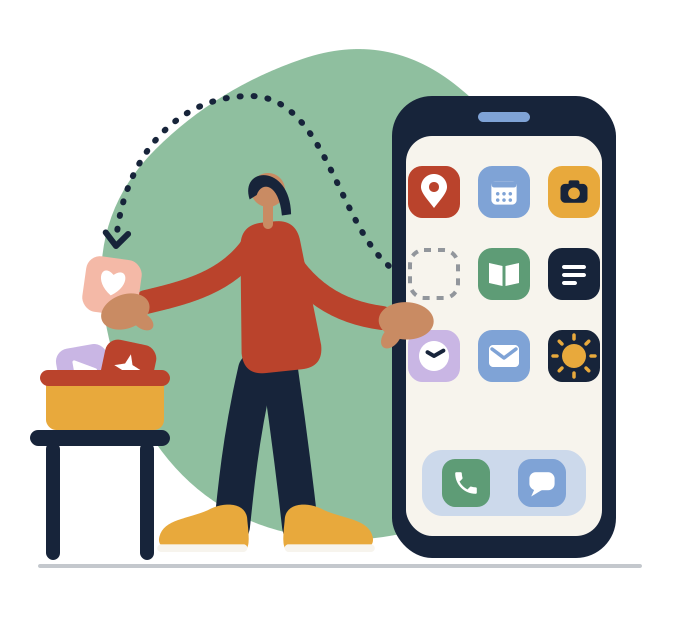
5. Put a pause in front of the apps you open without deciding
Price's speed bumps include a lock-screen image and a rubber band around the phone, so that when you reach for it, the odd feel makes you stop and ask why (23:15). Researchers have tested a firmer version: an app called one sec that makes you wait and breathe before a chosen app opens, then offers a way out. Among 280 people who used it for six weeks, about a third of attempts to open those apps ended with the person backing out (Grüning et al., 2023). There was no comparison group, and one of the authors created the app. Your phone's own app limits put a similar screen in the way at no cost, though no one has tested them as a pause.
Decide where you'll stop before you start
6. Set a daily limit at your own ideal, and don't snooze it
In a 12-week trial run by the economists Hunt Allcott, Matthew Gentzkow and Lena Song, 1,933 US adults with Android phones could set daily limits of their own choosing on six apps, including Facebook, Instagram and YouTube (Allcott et al., 2022). The limits cut use of those apps by about 22 minutes a day, and 78% of people set limits and kept using them through the final weeks. Kept to the letter, their limits would have cut 53 minutes; the authors say the gap was "primarily because users snooze the limits."
So set a limit at the time you'd like to spend on your top app, and make it hard to wave away. On Android, an app timer closes the app when time runs out, and a PIN protects it (Google); on an iPhone, limits live in Screen Time (Apple). Then choose the stop before you open the app: one video, one thread, or the thing you came for. Our guide to doomscrolling is about that moment.
7. Plan what the time is for, and keep the settings on
In that trial, about half the time a limit saved moved to other apps. Price's answer is to have something else ready. For an evening in front of the TV, she suggests giving your hands something to do, like holding a cup of tea, so that when you reach for your phone "you have an alternative" (42:27).
Then give it time, because a cap on its own doesn't last. In an Austrian trial with 111 students, those asked to hold their phones to two hours a day for three weeks, down from about four and a half, cut their use sharply. Once the cap ended, use climbed back: "from week 7 onwards no differences in screen time were observed" (Pieh et al., 2025). A digital detox or a dopamine detox runs into the same problem. Settings such as the folder and the limit keep working without effort, so leave them on after the first two weeks, along with the charger's new place.
Start with where it sleeps tonight
Price's turning point was noticing her daughter watching her while she looked at her phone. The steps above are meant to make that moment rarer, and in her view they work best tied to something you want: "little hacks like that, once you have a broader goal in place, are really helpful" (40:23). If you do one thing today, move the charger out of the bedroom. Our guides to your attention span, phones and focus at work and phones at the table go further.
To do this with your own phone in hand, try the 1h Protocol to Take Control of Your Phone. Its free first chapter uses a few questions and your phone's own numbers to find your pattern and gives you one thing to do today. The full program is practical education and takes about an hour. You set up your own phone as you go and leave with a personal protocol built from your answers and your phone's numbers, a lock-screen card, and day-7 and day-14 reviews in your calendar. Four short check-ins follow over 30 days. Start free
Frequently asked questions
Why do I keep checking my phone?
Mostly habit. In a study that filmed young adults' days, nearly nine in ten pick-ups began with the person rather than with a notification (Heitmayer & Lahlou, 2021). Habits attach to places and moments, so a phone that's a little harder to reach interrupts the habit where it starts.
How do I reduce screen time without deleting my apps?
Move them: tools on page one, feeds in a folder on the last page, a daily limit on your top app, and the phone out of reach while you work or eat. Students who chose changes like these in the McGill trial cut nearly an hour a day (Olson et al., 2022).
Do screen time limits work?
Partly. In a 12-week trial with 1,933 US adults, limits people chose cut use of six apps by about 22 minutes a day (Allcott et al., 2022). Snoozing explained most of the shortfall, and about half the time saved moved to other apps, so make limits hard to override.
Does grayscale reduce screen time?
Possibly a little, but the evidence is thin. In a study of 161 college students, the 73 who switched to grayscale for 8 to 10 days used their phones about 38 minutes a day less than at the start, with no change for video, and the published summary doesn't say how use was measured (Holte & Ferraro, 2020). In the first McGill study, only 38% kept it. Try it for a week if you like; on an iPhone it's one of the color filters (Apple).
How much screen time is too much?
Research doesn't give a number, and the American Psychiatric Association notes that "the amount of time spent on a technology alone does not necessarily indicate problematic or compulsive use" (American Psychiatric Association). A better test is whether you stop where you meant to, and whether the phone takes time from things you care about. Our article on phone addiction explains why the label rarely fits. If it still feels out of control after a couple of weeks of changes, talk to someone you trust.
Sources
This article draws on Catherine Price's interviews on 10% Happier and NPR's Life Kit and her publisher's description of her book, Wendy Wood's interview on Hidden Brain, and the studies, surveys and phone guides listed below.
- #133 Catherine Price, Redefining Your Relationship with Your Phone (podcast episode, 10% Happier with Dan Harris, 2018)
- How to Manage Screen Time During a Pandemic (podcast episode with Catherine Price, NPR Life Kit, 2020)
- Catherine Price, How to Break Up with Your Phone, Revised Edition (book, publisher page, 2025)
- Creatures of Habit (podcast episode with Wendy Wood, Hidden Brain, 2020)
- Heitmayer & Lahlou, Why are smartphones disruptive? An empirical study of smartphone use in real-life contexts (filmed field study of 37 adults aged 21 to 29, 2021)
- Parry et al, A systematic review and meta-analysis of discrepancies between logged and self-reported digital media use (meta-analysis, 2021)
- Ellis et al, Do smartphone usage scales predict behavior? (survey and logged use, 238 iPhone users, 2019)
- Dekker et al, Beyond the Buzz: investigating the effects of a notification-disabling intervention (preregistered randomized trial, 205 adults aged 18 to 30, 2024)
- Olson et al, A nudge-based intervention to reduce problematic smartphone use: randomised controlled trial (two studies including a randomized trial with 70 students, 2022)
- Kasturiratna, Chua & Hartanto, A multifaceted nudge-based intervention to reduce smartphone use (randomized cross-over trial, 163 students, 2025)
- Grüning, Riedel & Lorenz-Spreen, Directing smartphone use through the self-nudge app one sec (field study and online experiment, 2023)
- Allcott, Gentzkow & Song, Digital Addiction (randomized trial, 1,933 US adults, American Economic Review, 2022)
- Pieh et al, Smartphone screen time reduction improves mental health: a randomized controlled trial (randomized trial, 111 students, 2025)
- Holte & Ferraro, True colors: grayscale setting reduces screen time in college students (study of 161 students, abstract only, 2020)
- Pew Research Center, About half of Americans say they spend too much time on their smartphone (survey of 9,750 US adults, 2026)
- Pew Research Center, Mobile Fact Sheet (survey of 5,022 US adults, 2025)
- American Psychiatric Association, What is Technology Addiction? (public information page, 2024)
- Apple Support, Set up Screen Time for yourself on iPhone (how-to page)
- Apple Support, Change display colors on iPhone (how-to page)
- Google Android Help, Manage how you spend time on your Android phone with Digital Wellbeing (how-to page)